Node listing or cluster listing
Marketplace cards include capacity, optional reviews, and Past rental reliability. Expand the reliability panel to load recorded evidence; the rental selection page opens it automatically. Editing a listing does not move it to the top of the results. Sold or temporarily unavailable active listings remain visible with their status; browsing a listing does not pause it.
Node listings are the source for workspace rentals. They can allow full-node workspaces, sliced workspaces, or both. Cluster listings are the source for Kubernetes namespace rentals and can allow unlimited namespaces, limited namespaces, or both. Publish at the narrowest scope that matches what you can reliably operate.
An eligible target must be ready, current, and not already constrained by an incompatible active allocation. The publish form explains disabled modes when the detected hardware or cluster state cannot safely support them.
The GPU inventory groups identical models and VRAM sizes while keeping each device's price separate. Friendly GPU labels remain stable when the inventory order changes; expand a device to inspect its technical identifier. Prices are per device per hour. All discovered GPUs are offered by a node listing; these pricing controls do not exclude individual GPUs from the listing.
Full-host rentals include every GPU. For slices, decide whether a GPU is required or whether CPU-only rentals are allowed. Review all per-device prices before publishing. Use Edit for new rentals on a node or cluster listing to retain its existing per-device prices while revising terms. Saving an edit creates a new version of the same listing for future rentals. Existing rentals keep their accepted terms. If the GPU inventory changes while editing, use Refresh GPU inventory and set each device’s price again; existing GPU prices are cleared so a price cannot silently move to a replacement card.
Expand a listing on Provider Nodes or Provider Clusters and use the Listing version dropdown to inspect its current or past versions. Each version shows its saved prices, resource ranges, rental modes, minimum-rent terms and listing end date. Past versions are read-only; Edit for new rentals always starts from the current terms and keeps the same node or cluster.
The selected version also shows Active rentals and Past rentals. Active rentals include pending and starting rentals; an end request is labeled Ending, and an interrupted active rental is labeled Rental interrupted. Past rentals show Ended or Error as appropriate. Each rental displays its accepted allocation, hourly provider earnings and dates. Use the separate page controls to browse longer rental histories. These views refresh periodically.
Minimum rent time and uptime refunds
Minimum-rent listings are a limited-availability provider feature. Selected provider accounts see an additional section in the node and cluster listing forms; other providers continue to see and create ordinary metered listings.
Choose one supported commitment: 1 hour, 1 day, 1 week, 2 weeks, or 1 month (fixed at 30 days). The listing end date must leave enough time for a renter to complete a full first period. The configured platform threshold is displayed to renters as a rented-resource uptime refund term.
Uptime for this term is measured only from the moment that specific rental becomes usable until the committed period ends or the renter requests an early end. It does not use the node's historical 1h/1d/1w/1m marketplace uptime. If measured rented-resource uptime is exactly at or above the threshold, the whole commitment is charged. If it falls below the threshold, the renter receives the whole period amount back in Rental Balance and the provider receives no earnings for that period.
| Renewal setting | After the first committed period |
|---|---|
| Off | The rental remains active and returns to ordinary per-second metered billing |
| On | ComputeCubed settles the period and reserves another identical full period; the rental ends if balance is insufficient or a full period no longer fits before the contract end |
Ending early does not prorate a period that meets its uptime threshold. Listing terms are copied into the accepted Rental Contract, so later listing edits do not alter an active commitment.
Set resource ranges and price curves
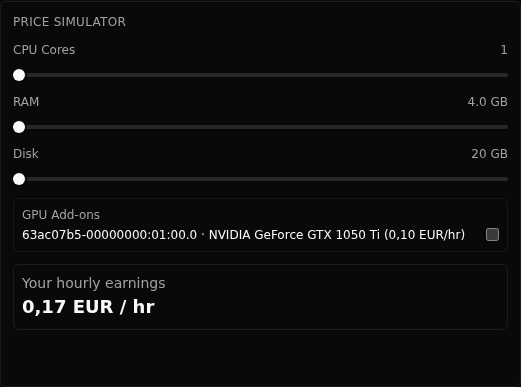
Set the prices you want to earn for your resources. ComputeCubed adds a listing-specific markup to produce the renter price. Marketplace cards show that complete price; the provider preview shows your hourly earnings. There is no ComputeCubed listing fee, earnings commission or withdrawal fee. Host edits and relisting do not change the platform-controlled markup.
For CPU, RAM, and disk, define a minimum quantity and price and a maximum quantity and price. ComputeCubed calculates each resource price by interpolating within that resource’s range and rounding to the nearest smallest currency unit, with halves rounded up. It adds those resource prices and the selected GPU prices. Each GPU can have its own add-on price, so different models or devices do not need an artificial common rate.
Hover over a resource curve to see its quantity and hourly price, for example 4 C · €0.20/h. Quantities use whole units; fractional GB ranges display MB. You can also focus a chart and use the arrow keys, Home, and End to inspect the range. Press Escape or move away to dismiss the readout.
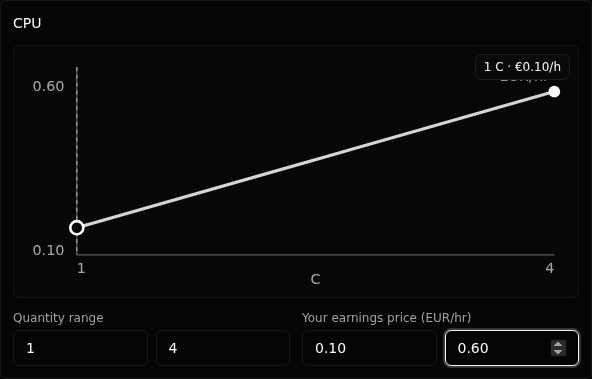
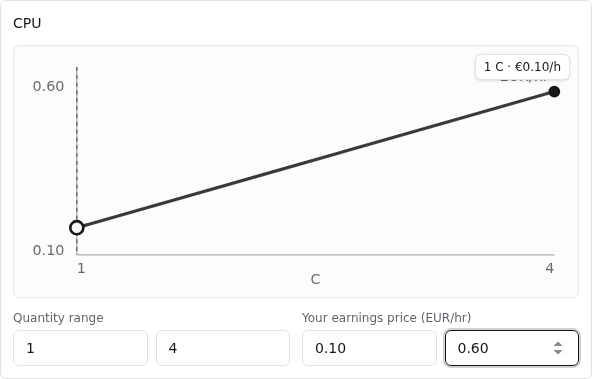
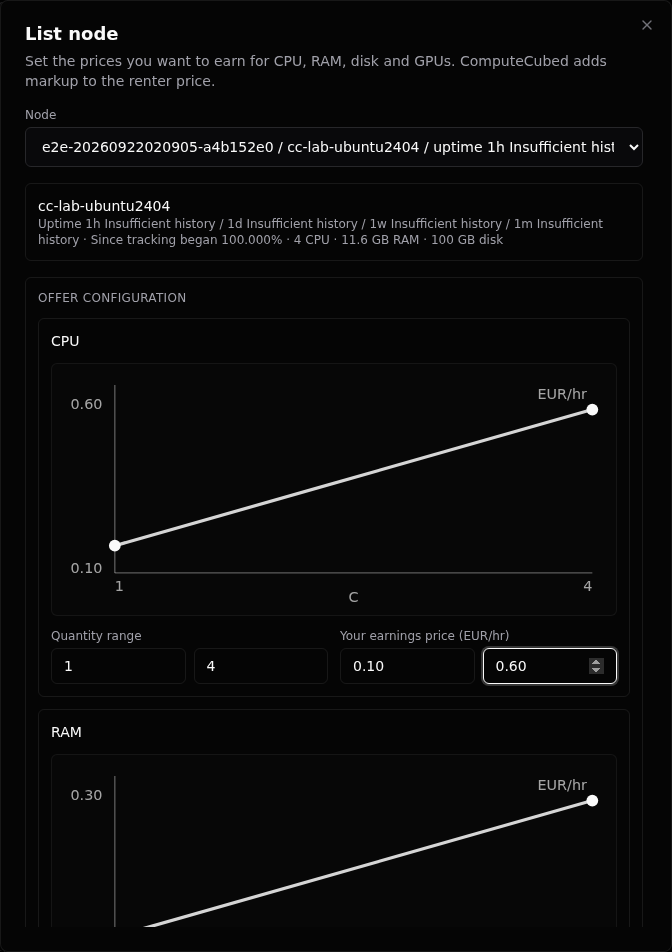
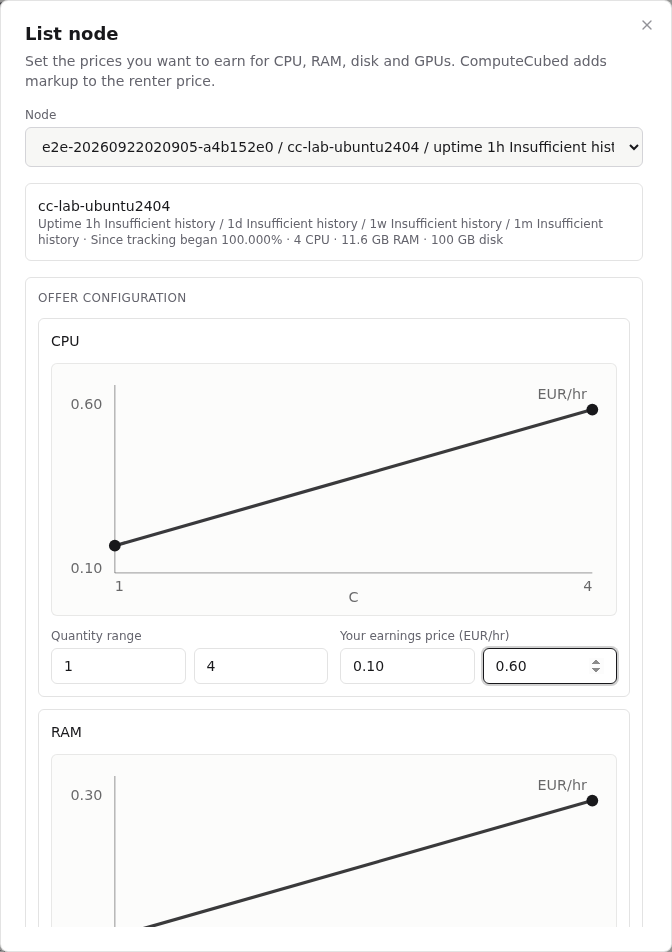
After publishing, open the listing’s price preview and test several points: the smallest useful slice, a common working configuration, every single GPU choice, and the maximum allocation. Check that the maximum base price plus all GPU add-ons is intentional. The preview shows your current hourly earnings in euros for the selected resources. It calculates contract prices; it does not promise that the resources are available to rent. Current renter quotes also check availability.
Choose compatible rental modes
| Toggle | Use it when | Operational consequence |
|---|---|---|
| Full-node workspace | A renter may consume the whole advertised machine | Exclusive while active |
| Sliced workspace | CPU, RAM, disk, and GPUs can be allocated in smaller combinations | Track remaining capacity; compatible slices may coexist |
| Sliced requires GPU | CPU-only slices would not be economically or operationally useful | Every sliced launch must choose at least one GPU |
| Unlimited namespace | You are comfortable with a broad Kubernetes allocation | Can reserve a node or a larger cluster capacity boundary |
| Limited namespace | You want quota-bound, pinned, shareable Kubernetes allocations | Requires a pinned node and enforces selected limits |
Set the listing end date
Listed until is the deadline for accepting new rentals and becomes the maximum contract end date for renters who launch from that version. Choose a date through which you can keep the advertised service available. The default UI suggestion is a week, but the correct period depends on your maintenance plan and certainty.
Delisting closes the offer to new rentals. Relisting publishes new future terms. An active rental keeps its host earnings price, complete renter price, markup, allocation, listing version, minimum-time terms and contract end date, including all recurring periods. Changing a price or date cannot be used to rewrite an accepted contract.
Why a listing becomes unavailable
Common reasons include exhausted capacity, a paused offer, no ready nodes, a cluster that is not ready, a cluster composition that changed after publication, external activity detected by Availability Guard, or missing guard telemetry. The marketplace preserves unavailable cards where useful so renters and providers can understand why a previously visible offer cannot launch.
Never “fix” exhaustion by overstating limits. Ended rentals release capacity; active compatible slices consume it. If a listing pauses because composition changed, reconcile the cluster, verify the new hardware evidence, and publish terms that match reality.
Evaluate past rental reliability
Past rental reliability summarizes completed rentals from the last 90 days, using up to the latest 500 reports. At least three completed rentals from distinct renters are needed before a public summary appears. Self-rentals are excluded, and a device needs evidence from three distinct renters before its measurements appear. Reviews remain available for experiences such as provider communication.
The report shows rental hours, telemetry coverage, observed service availability and its separate history coverage, rental interruptions and their duration, detected node reboots, and observed container restarts. A node listing uses single-node rental reports. A cluster listing combines reports for that cluster; overlapping rentals can each experience an interruption, while the same detected node reboot is counted once. Evidence for a previous hardware identity is excluded from the current listing.
GPU details show observed hours, loaded hours, device coverage, temperature at the 95th percentile and maximum under load, average power draw, configured power-cap range and observed changes, and supported thermal and power throttling durations. Under load means GPU utilization of at least 50%. The temperature percentile is rounded upward to a one-degree bin. NVIDIA GPU temperature and AMD junction temperature are different sensors and should not be compared as equivalent measurements. Power draw is consumption; a power cap is the configured limit. A lower cap can be an intentional efficiency setting.
Evidence is collected in hourly increments with a delay of at least six hours and five minutes to allow delayed telemetry to arrive. Reports for ended rentals remain available after raw charts expire. Rentals started before history tracking have no saved report. A collection outage can reduce coverage; it cannot be reconstructed indefinitely from raw history.
Unknown means the measurement is unsupported or missing. It does not mean zero. An application restart does not establish a hardware problem or provider fault, and a missing metric does not prove downtime. Observed availability comes from the separate service observer. These reports are diagnostic evidence, not a performance promise, billing meter, or change to minimum-rent refund terms. Detailed rental reports are visible only to that renter; public reports omit renter identities, workload names and individual session timelines.
Worked contract example
A provider lists a node until 31 July with 2–16 CPU cores, 8–64 GB RAM, 40–500 GB disk, and two individually priced GPUs. A renter launches on 20 July with 8 cores, 32 GB, 150 GB, and GPU 0. Suppose the selected host resource price is €1/hour and this listing’s markup is 15%: the renter reviews and accepts €1.15/hour. ComputeCubed records both amounts, the markup and the 31 July contract end date. This markup is an example, not a universal rate.
On 21 July the provider raises the listing’s CPU and GPU 1 prices for future rentals. The 20 July rental is unchanged: its recorded price and GPU 0 allocation continue. A later renter sees the new offer version and can choose from the remaining compatible capacity.